Showcase Projects
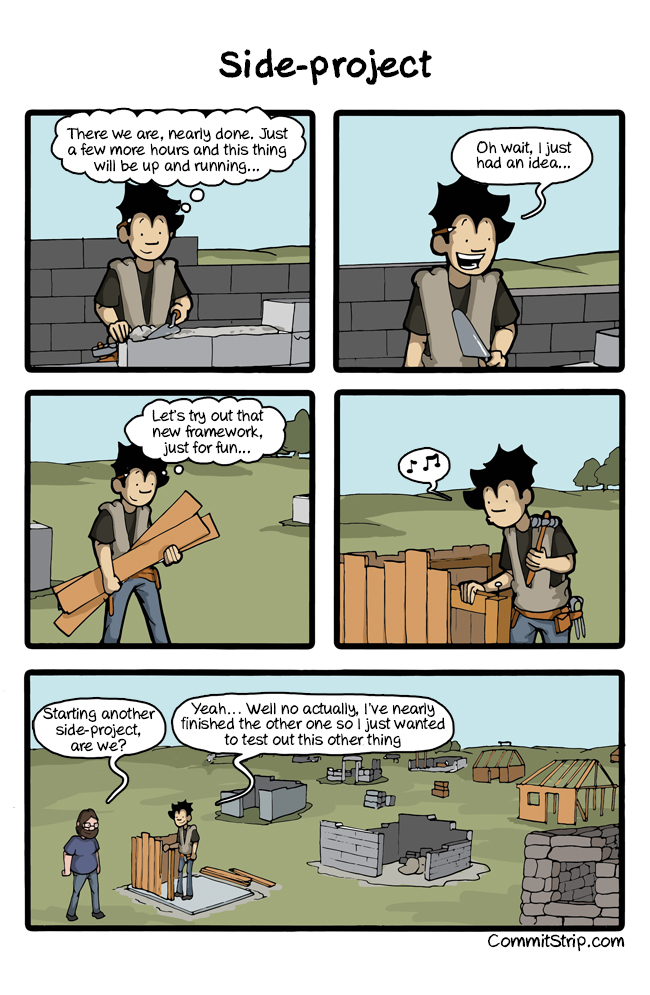
Instead of pet projects — which for most of us end up frozen in the state shown in the picture1 — I make a point of building showcase projects. The approach has worked out well and (I think) caught on with my team.
What are showcase projects?
They’re simple, scope-limited, time-boxed projects that give you experience operating new tools or libraries.
What are they for?
Mostly for broadening your own perspective and getting an understanding of how “this thing” actually works.
You can also use these projects — and we do — for in-team education. They make for a small demo for coworkers, and the narrowness of the topic keeps you from straying off it.
How do you build showcase projects?
Pick a topic to investigate. The most useful kind ties into your current work. Then exploring it is more interesting, and you have motivation. For example, recent topics for me have included:
- public-key asymmetric encryption;
- distributed tracing support;
- working with
Temporal2; - and adopting
AsyncAPI3.
Create a small, self-contained repository. Lay out the minimum infrastructure needed to deploy locally. That could be
a VM-launching script and a set of ansible playbooks, a docker-compose file, or a Kubernetes spec. Your goal at this stage is to make the environment reproducible and easy to bring up with a single command.
Write the smallest amount of code that proves “the gears are turning.” Get a minimal output. No one is forcing you to gracefully handle every possible error or follow the linters’ guidance. If it’s easier to just panic on any error, go right ahead and panic. To understand and demo to coworkers, you need to show the substance.
Once everything’s running, keep moving through the tutorials and docs until your main task is solved or you feel confident finding your way around the new code.
Shut down the VM and stop the code. Make sure everything can be brought up from a clean slate. This example will most likely be used by your coworkers, and they’ll bring it up from a clean working copy with no leftover artifacts.
What should they include and what shouldn’t they?
The answer comes down to the specifics of your work. For me, often I need a chunk of the infrastructure perimeter plus the code that interacts with it.
For you, this might be a repository consisting of a single main.[your_language] file that clearly demonstrates ways
of using the tool you’re studying.
Again — chase reproducibility. The examples should bring themselves up from a clean working copy of the repository.
How did we adopt this approach on the team?
I didn’t run into any particular difficulties.
We have a dedicated group of repositories where our showcase projects live. The names speak for themselves, so it’s hard to get lost.
The main factor in successful adoption of this approach, I think, was… reproducibility. Every team member can play with the examples on their own time, in a comfortable setting.
Wrap-up
- Don’t know something, don’t have enough hands-on experience with it, or feel rusty — make a showcase.
- Learn, share what you got out of it.
- Commit to source control for yourself and for new coworkers.
Give it a try.