mkcert
When developing locally, many people skip simulating https and run their services over http.
Here’s the task:
- Serve traffic locally over
httpswith a valid certificate; - Make it easy to reproduce — not just for you, but for everyone on your team.
The simplest and probably best-known solution is mkcert1.
On macOS, installing it via brew will pull in go, which isn’t great. I’ve already written about all this in the asdf post. Pick whichever installation method you prefer; I went with go install:
go install filippo.io/mkcert@latest
Once installed, run:
mkcert -install
A root certificate will be generated and a local CA set up:
mkcert -install
Created a new local CA 💥
Sudo password:
The local CA is now installed in the system trust store! ⚡️
The local CA is now installed in Java's trust store! ☕️
Now pay attention. Take a look at these files:
ls "$(mkcert -CAROOT)"
Don’t share them with anyone! Just leave them where they are and forget about them.
Let’s move on to creating an https server. Say it’ll run on the host demo.dmz. In the dnsmasq2 post we
already covered creating local DNS zones.
Create a temp folder for our test drive and start by generating a certificate:
cd $(mktemp -d)
mkcert demo.dmz
Now let’s put together the simplest possible server in go. A main.go file will be enough, so we don’t need to bother
creating a module:
package main

import (
    "log"
    "net/http"
)

func main() {
    sslCertCrtPath, sslCertKeyPath := "demo.dmz.pem", "demo.dmz-key.pem"

    log.Fatalln(
       http.ListenAndServeTLS(
          ":443",
          sslCertCrtPath,
          sslCertKeyPath,
          http.HandlerFunc(func(w http.ResponseWriter, r *http.Request) {
             _, _ = w.Write([]byte("Hello, HTTPS!"))
          }),
       ),
    )
}
Run it:
go run main.go
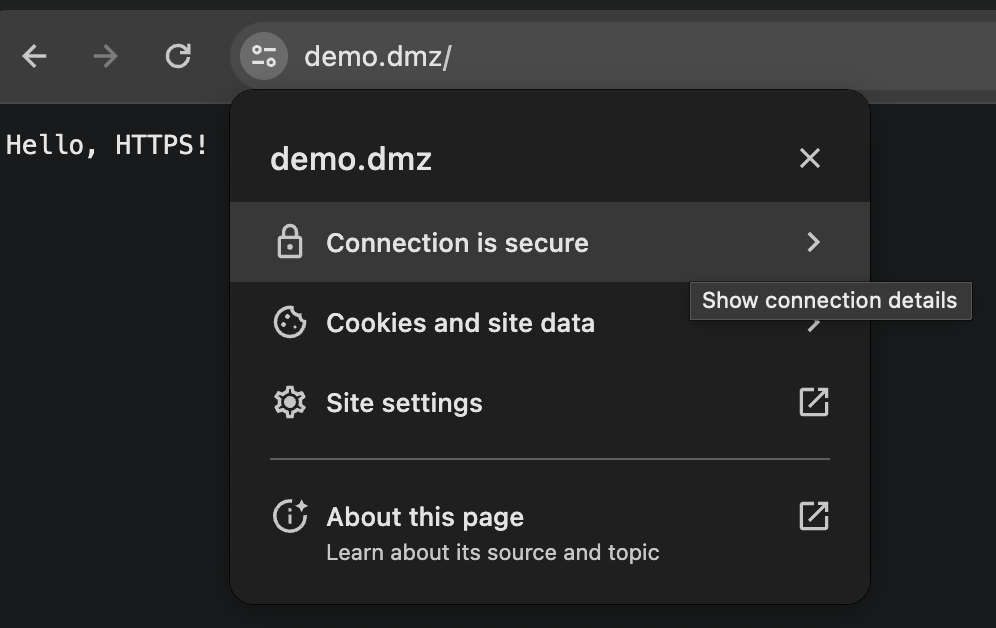
And see how the browser reacts:
Wrap-up
- Local
httpsis set up; - Installing and configuring
mkcertis dead simple — easy to reproduce on other developers’ machines; - For your own security, don’t publish anything
mkcertgenerated.