APFS Case Sensitive
By default, the filesystem on macOS is case-insensitive. That means file.txt and FILE.txt are the same to it. In some — admittedly rare — situations, developing or supporting certain projects requires case sensitivity. Reformatting
the disk and reinstalling the OS is a long, thankless undertaking. Here’s how I solved this problem.
I’ve already written that all my projects live in ~/Workspace — they aren’t scattered across the filesystem.
Moving them to a new location won’t be a problem.
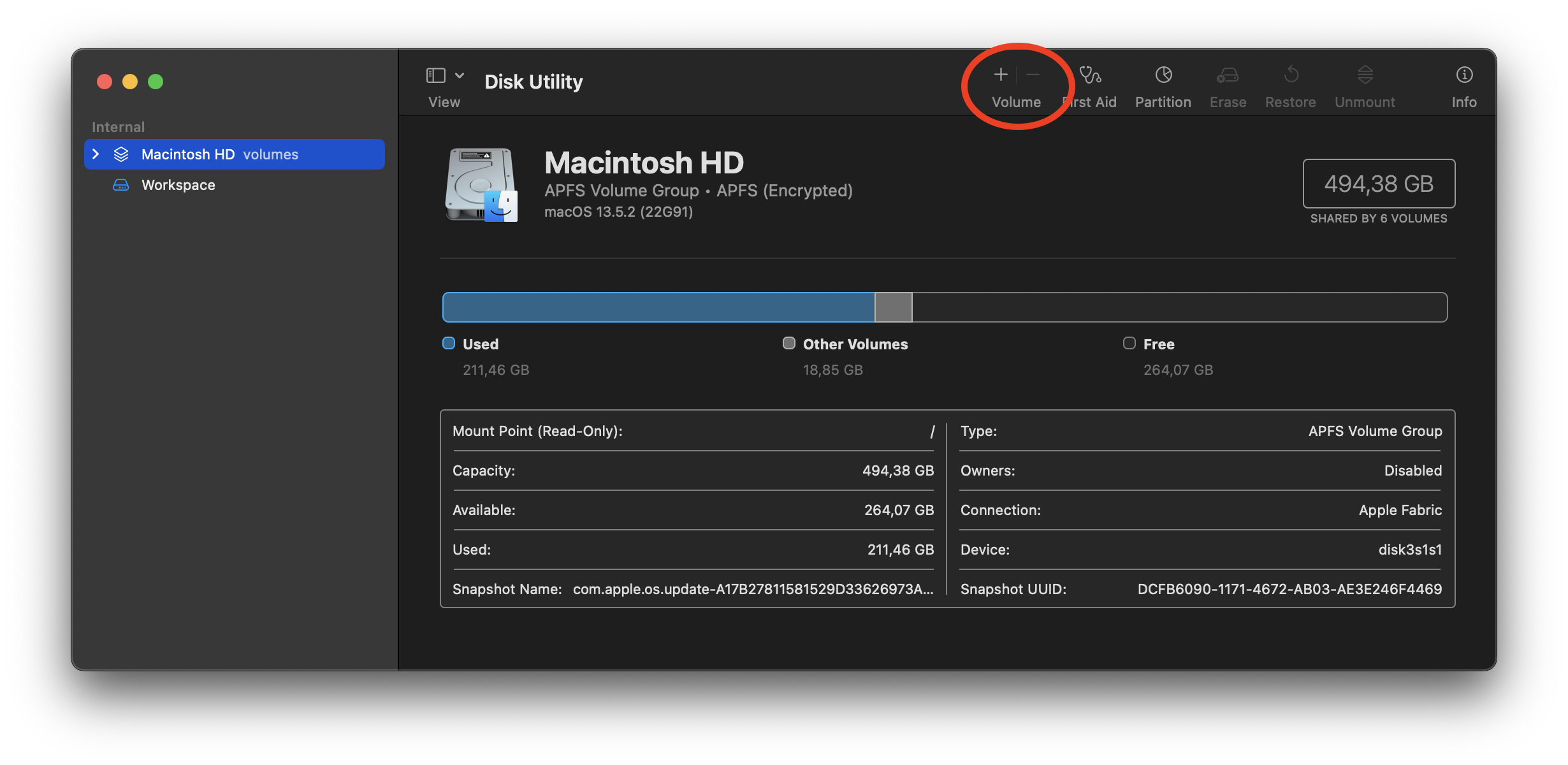
So. Open Disk Utility and add a Volume:
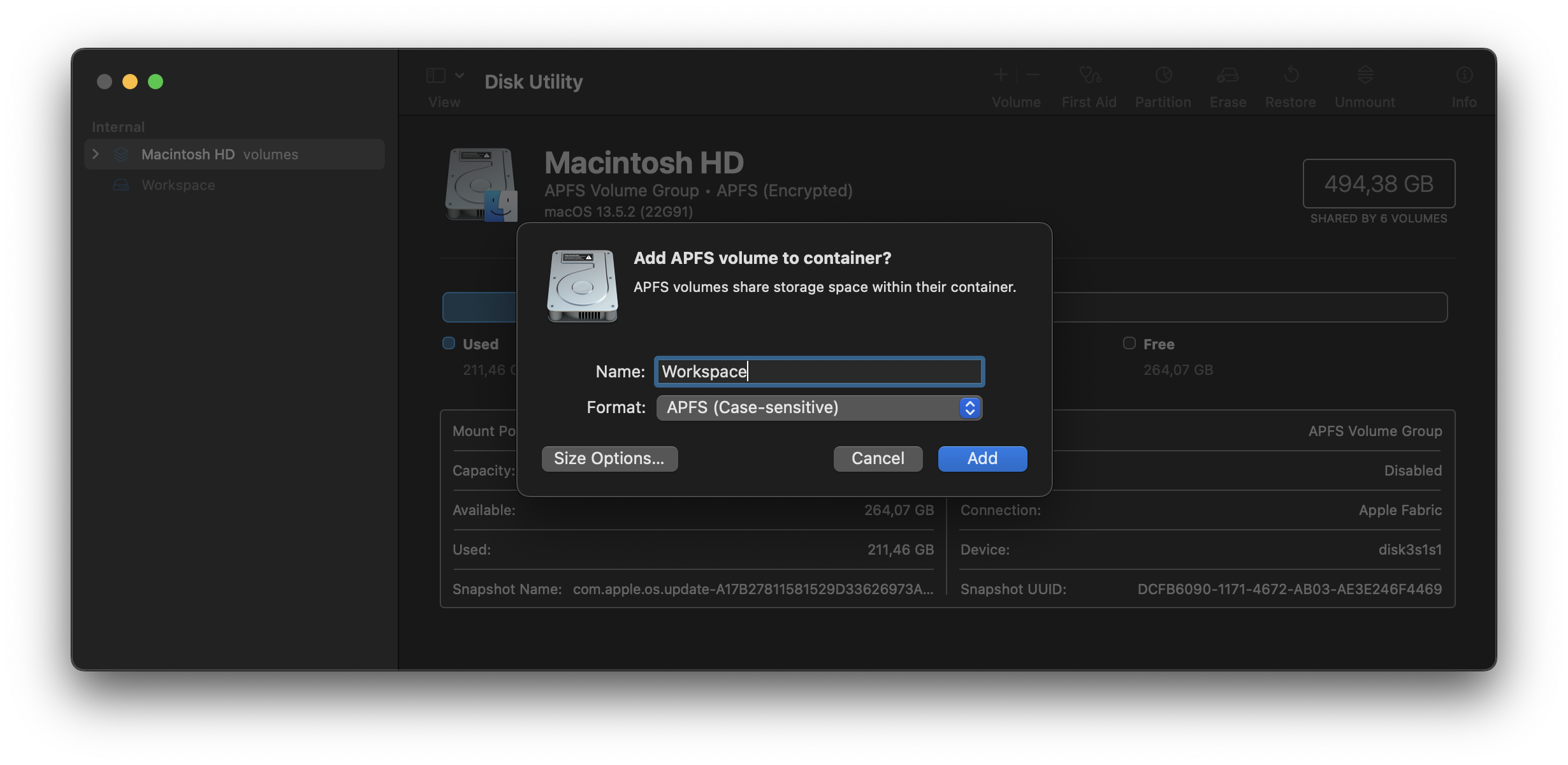
Set the new partition’s name:
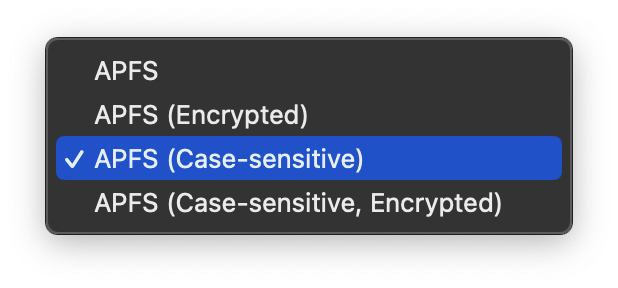
Pick the case-sensitive filesystem type:
Once the new partition with the case-sensitive filesystem is created, all my projects move to /Volumes/Workspace.
But it’s natural to keep a ~/Workspace directory. The fix is simple — create a symlink:
ln -s /Volumes/Workspace ~/Workspace
Now every project is available exactly as before.